 FairTally
For throuples & polycules
Shared expenses for throuples and polycules.
Agree on contributions across three or more adults, record different payers, and keep one clear view of who owes whom. FairTally supports households of up to 10.
By FairTally · Updated
Start with the household's agreement
A shared expense agreement can work for a throuple, a polycule sharing a home, or another multi-partner household. Decide who is included, which expenses are shared, and how each person contributes. FairTally supports up to 10 household members and equal, percentage, or ratio splits.
You might split by income, choose the same share for everyone, or agree on custom weights. A 50/30/20 split is a 5 : 3 : 2 ratio: five parts for one person, three for another, and two for the third. It describes cost responsibility, regardless of who pays at checkout.
Only include costs covered by the agreement. For an expense that needs a different allocation, use the per-expense split controls. A relationship connection does not by itself create an obligation to share every purchase.
Example: three people, three payers, one balance
Alex, Jordan, and Sam agree to split shared costs 50% / 30% / 20%. During one month, Alex pays $1,500 in rent, Jordan pays $900 for groceries, and Sam pays $600 for utilities and other agreed household costs. Their total is $3,000.
| Member | Share | Paid | Balance |
|---|---|---|---|
| Alex | $1,500 | $1,500 | Even |
| Jordan | $900 | $900 | Even |
| Sam | $600 | $600 | Even |
Everyone has already paid their agreed share. No one owes a settlement, even though the payments were different amounts.
What if Alex paid the utilities instead?
The total and the agreed shares stay the same. Alex has now paid $2,100, Jordan $900, and Sam $0. Alex is owed $600, Jordan is even, and Sam owes Alex $600. The balance comes from the difference between what each person paid and their allocated share.
You do not need three separate pairwise expense lists to work through this household example. Record each expense and its payer in the same household, then review the combined balances.
Put the agreement into FairTally
- Create your household and invite the people sharing expenses. FairTally supports household join codes.
- Open Profile → Default Split Settings. For this example, choose Percentage and enter 50, 30, and 20 beside the correct members, then save. Ratio weights of 5, 3, and 2 express the same split.
- Use Add Expense to record each bill and who paid. Review the default split or select Change split for an exception.
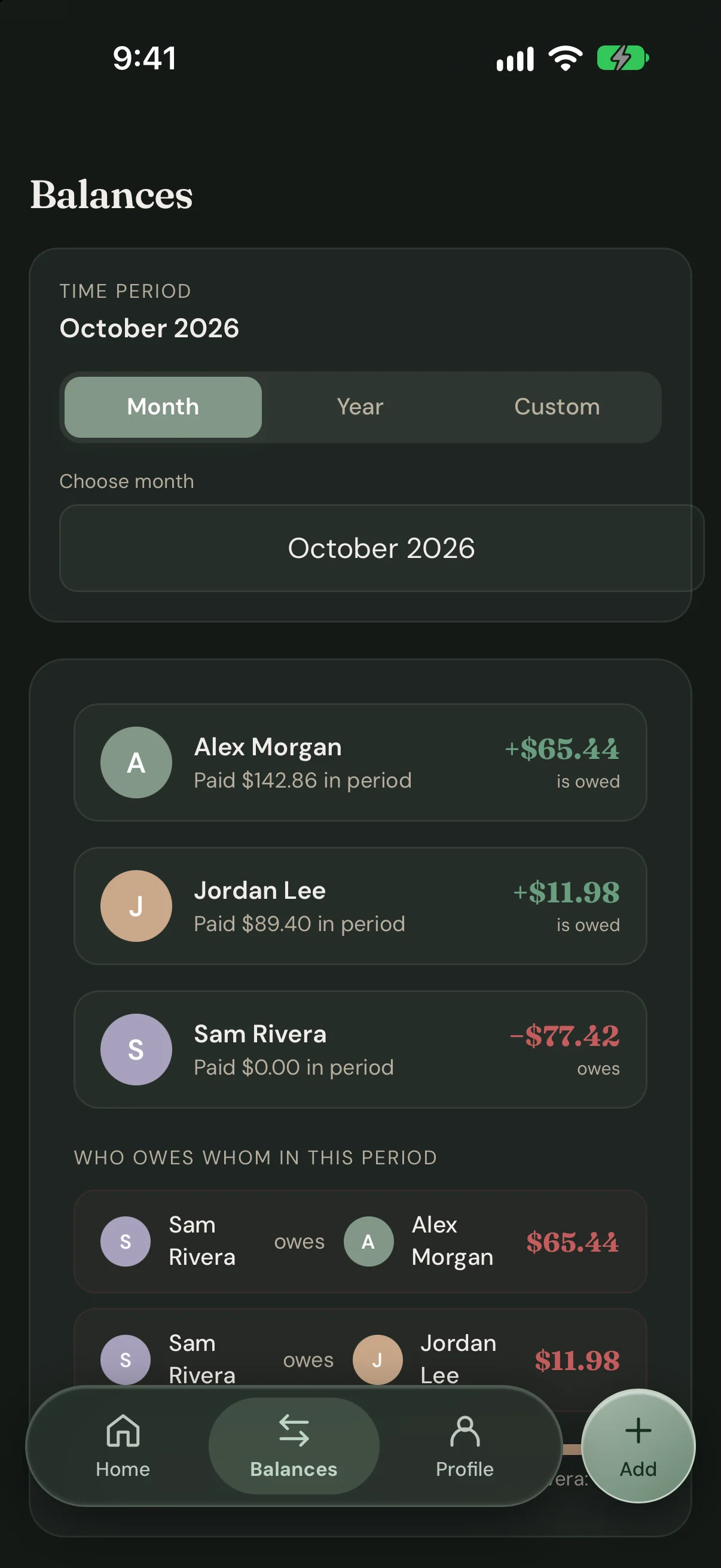
- Open Balances and choose the period you want to review together. Arrange any payment separately, then use Settle Up to record it.
The custom household splits guide explains the controls, calculator handoff, and how an individual expense can use a different split.
Keep the agreement easy to revisit
Choose a time to check the expense record together. Discuss missing bills, exceptions, and any change in income or responsibilities before deciding whether to update the household default.
If someone joins or leaves, review membership and each remaining person's share. Avoid assuming the previous percentages still express everyone's agreement.
A household expense tracker helps record an agreement; it cannot decide what is fair for everyone. You may want different treatment for personal costs, shared-home costs, and occasional group activities.
Choose a starting ratio without linking a bank account
Use the free calculator for two to ten people to compare custom ratios or try an income-based suggestion. Entering incomes is optional when you choose your own shares. The calculator needs no account and does not send or save the entered numbers.
Read how splitting bills by income works if you want the formula. Copy your chosen split, then enter it manually in the app; the calculator does not directly import settings.
FairTally records shared expenses without bank linking. Saving a household split does not automate recurring expense creation or move money between members.
Keep your agreement in everyday use
One household. One plan.
FairTally is available on web, iOS, and Android, with no bank linking required. One FairTally Household subscription covers up to 10 members: $5.99/month or $49.99/year.
New households get 14 days of full access from creation, with no credit card required. After the trial, view-only access stays free; a subscription is needed to keep adding and editing expenses.